DirectAdmin
pxShield on a DirectAdmin server: installing the plugin, where to find it, which web servers it supports, and what it sets up in csf, Apache and nginx so that visitors keep reaching the sites with their real address.
On a DirectAdmin server, pxShield comes with a DirectAdmin plugin: the same dashboard as in WHM, with the blocked attacks, the event log, the rules of each domain, exceptions, bypass IPs, trusted proxies and settings.
Install
Run the installer as root. It detects DirectAdmin and installs the plugin, pxshield-da, which brings the pxShield service with it:
curl -s https://www.pyxsoft.com/extra/install-pxshield | bashThen sign in to DirectAdmin as an administrator and open Extra Features → pxShield WAF. A 7-day trial starts on its own; enter your license code in Settings → License.
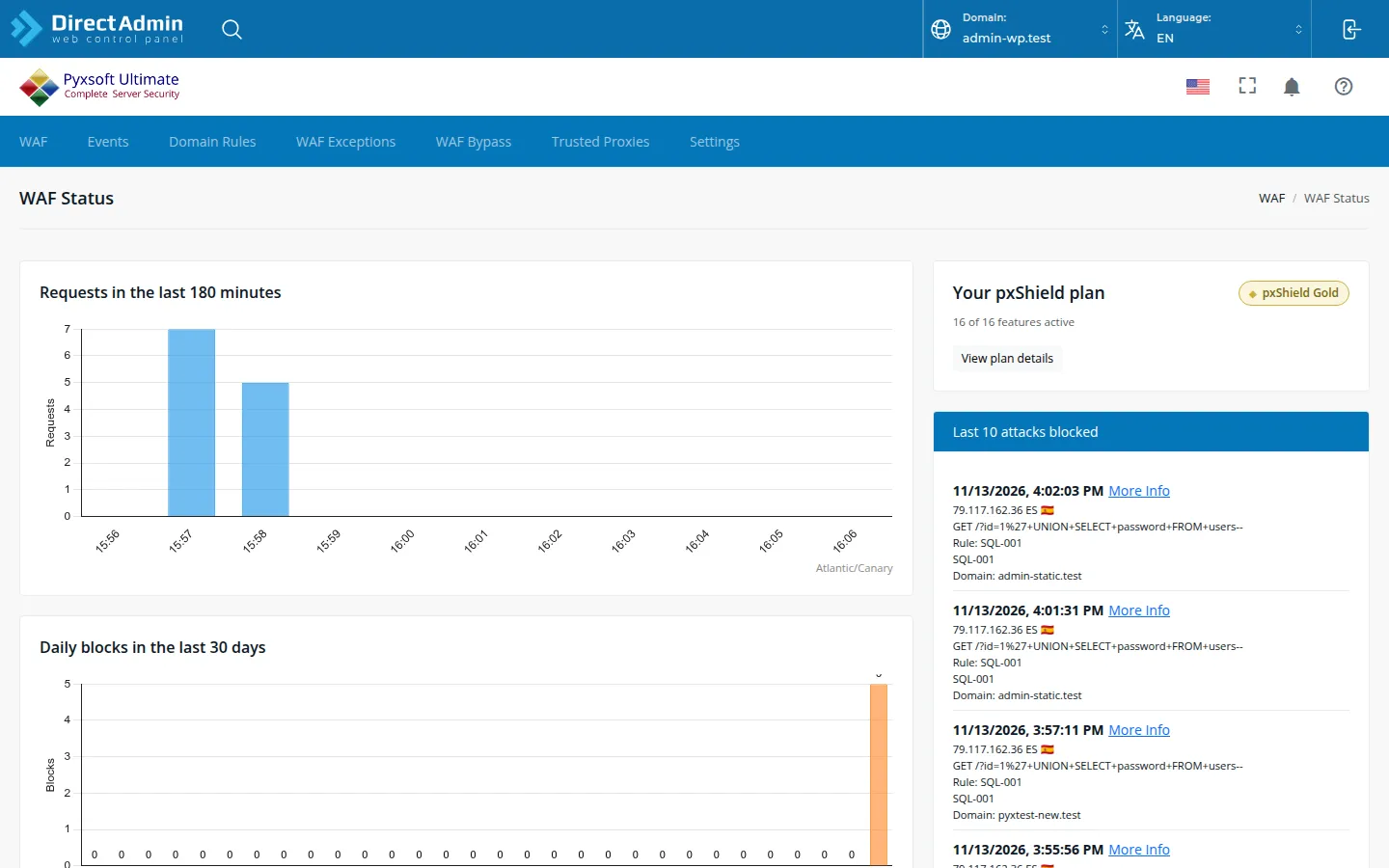
Only administrators see the plugin. The pxshield command is also installed, as on every server: see Command Line.
Web servers
pxShield works with every web server CustomBuild sets up: Apache, nginx, nginx + Apache, LiteSpeed and OpenLiteSpeed. It reads the sites from DirectAdmin itself, not from the web server’s configuration: every domain of every user, with its subdomains and pointers, and the server’s own name, where the webmail and phpMyAdmin are. When a user adds or removes a domain or a subdomain, DirectAdmin reloads the web server and pxShield picks up the change at once; a check every five minutes covers any change made another way. HTTPS uses the certificate DirectAdmin installed for each domain, Let’s Encrypt included, or the server’s when the domain has none, as the web server does.
What pxShield sets up
pxShield sits in front of the web server without changing DirectAdmin’s templates: the firewall sends ports 80 and 443 to pxShield, which passes the clean requests to the web server. To make that work it sets up three things:
- csf. pxShield adds ports 19080 and 19443 to
TCP_INandTCP6_INin/etc/csf/csf.conf, and a line to csf’s post script (/usr/local/csf/bin/csfpost.sh) that restores the redirection after everycsf -r. If you already had a post script, your lines stay as they are. - Apache. The file
/etc/httpd/conf/extra/httpd-pxshield.conf, included fromhttpd-includes.conf, makes Apache take the visitor’s address from pxShield. Logs,.htaccessrules and PHP see the visitor, not the server. LiteSpeed reads the same configuration and also sees the visitor. - nginx. The same in
/etc/nginx/nginx-pxshield.conf, included fromnginx-includes.conf.
CustomBuild keeps both include files when it rewrites the configuration, so ./build rewrite_confs and updates of the web server do not undo them. pxShield checks the configuration before applying it, and if the web server rejects it, leaves it as it was.
Uninstalling pxShield removes the redirection, its line in csf’s post script and both include files. Ports 19080 and 19443 stay in TCP_IN: with pxShield gone nothing listens on them.
This page is also available as markdown.