DirectAdmin
Pyxsoft Antimalware on a DirectAdmin server: installing the plugin, where to find it, how the DirectAdmin users become accounts, and how the email alerts are sent.
On a DirectAdmin server, Pyxsoft Antimalware comes with a DirectAdmin plugin: the same dashboard as in WHM, with the overview, detections, accounts, scans, quarantine, allowlist and settings.
Install
Run the installer as root. It detects DirectAdmin and installs the service and the plugin (pyxsoft-am and pyxsoft-am-da):
curl -s https://www.pyxsoft.com/install-anti-malware | bashThen sign in to DirectAdmin as an administrator and open Extra Features → Pyxsoft Antimalware. Start the 7-day trial or enter your license code in Settings → License.
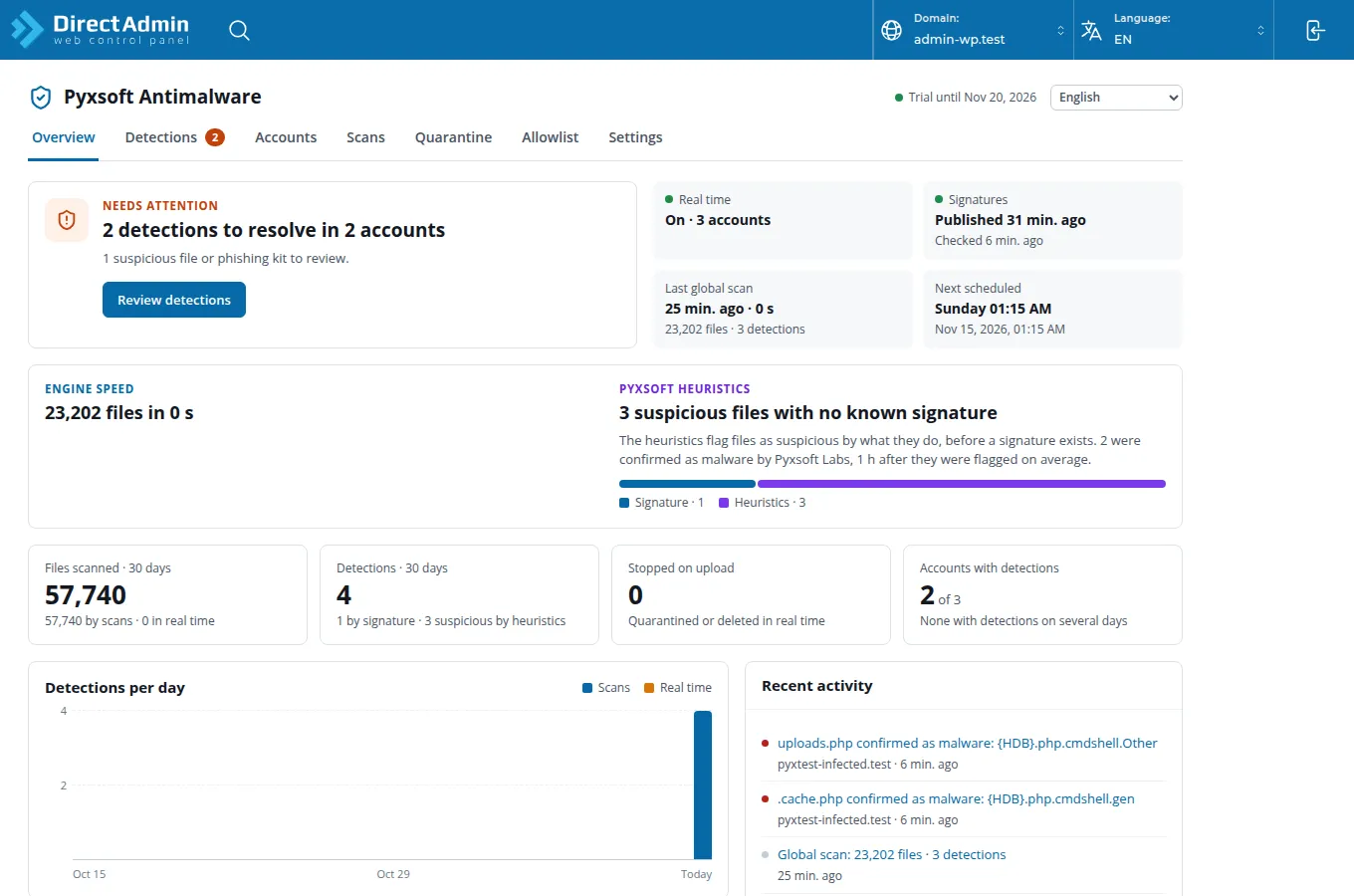
Only administrators see the plugin. The pyxsoft command is also installed, as on every server: see Command Line.
Accounts
Each DirectAdmin user is an account, with its domains, subdomains and domain pointers. Scanning an account scans its whole home directory, except mail, backups and hidden folders. Websites that DirectAdmin does not manage but the web server serves, such as /var/www/html, are listed as accounts of their own, named after their domain.
Email alerts
DirectAdmin’s mail server only sends mail from the server itself to its own domains, so the alerts are sent by the Pyxsoft license server, from alerts@pyxsoft.com, as on a server without a panel:
- Enter the address in Settings → Notifications and save. It receives an email with a confirmation link.
- Open the link and click Confirm. Until then no alert is sent, and the settings show the address as waiting for confirmation, with a button to send the link again.
- Check it with Send test.
The alerts include the paths and domains of the findings. Nothing else from the server goes through the license server. How the alerts are delivered has the details.
This page is also available as markdown.